
Project Summary & Goals
The MAI Animal Health Master Catalog is the primary sales and reference tool used by distributors and veterinary practices around the world. It brings together thousands of SKUs from multiple product lines into one consistent, easy to scan resource.
I inherited an established catalog template and have since been responsible for evolving the layout, maintaining consistency and directing the production of new editions. The goal has always been the same: dense information that stays readable under real clinic conditions.
- Maintain a consistent design system across 244 pages and dozens of categories.
- Make high density product information fast to scan for busy veterinary teams.
- Support sales with a catalog that doubles as an education tool.
- Create a production workflow the team can repeat for future editions.
Designing for High Density
This catalog is not a coffee table piece. It lives on desks, in clinics and in supply rooms where people need to look up item numbers quickly. The challenge was to handle thousands of SKUs, long product names and technical specs without turning every spread into a wall of type.
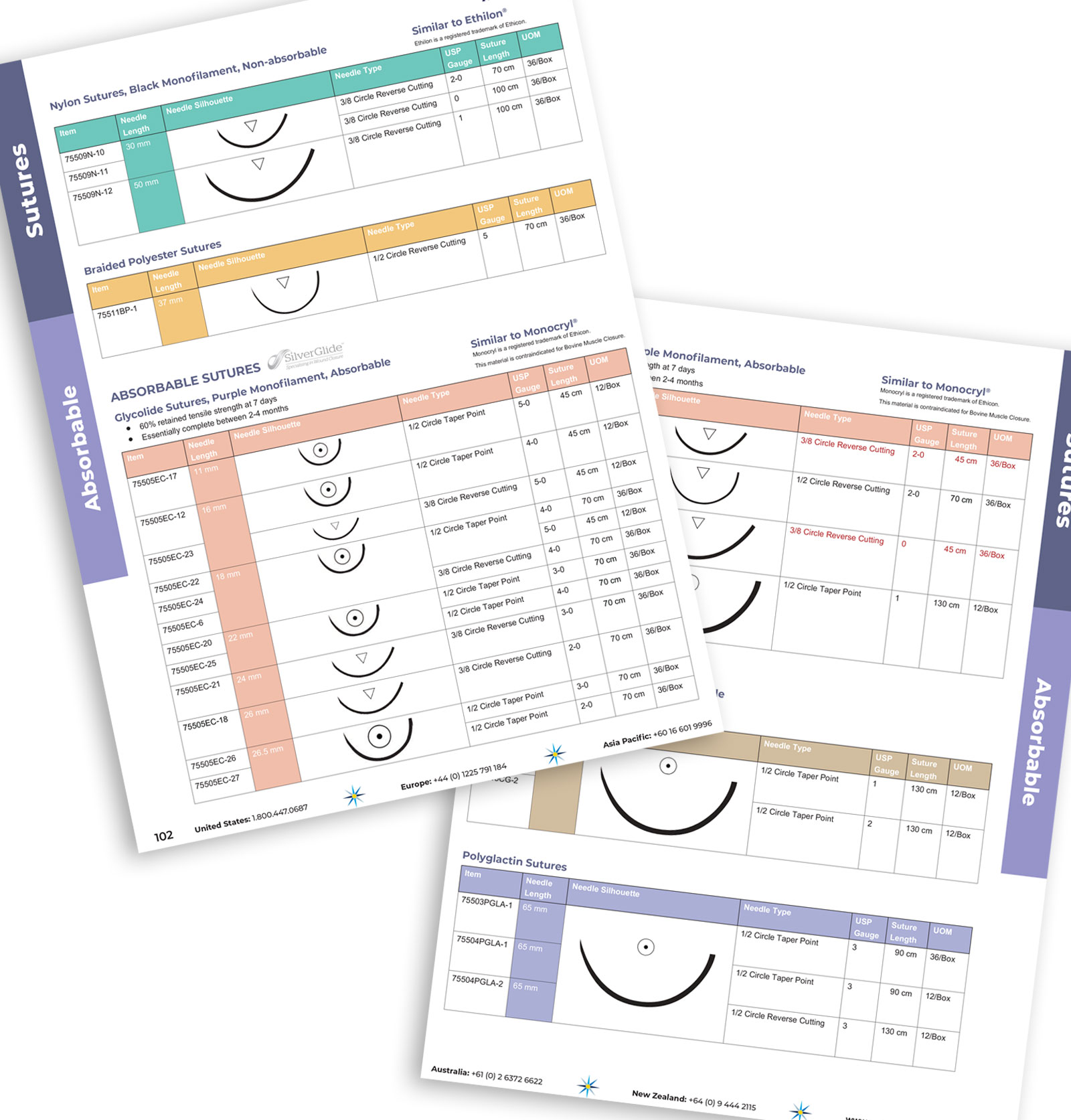
- Keep tables readable when they include long descriptions, UOM and ordering details.
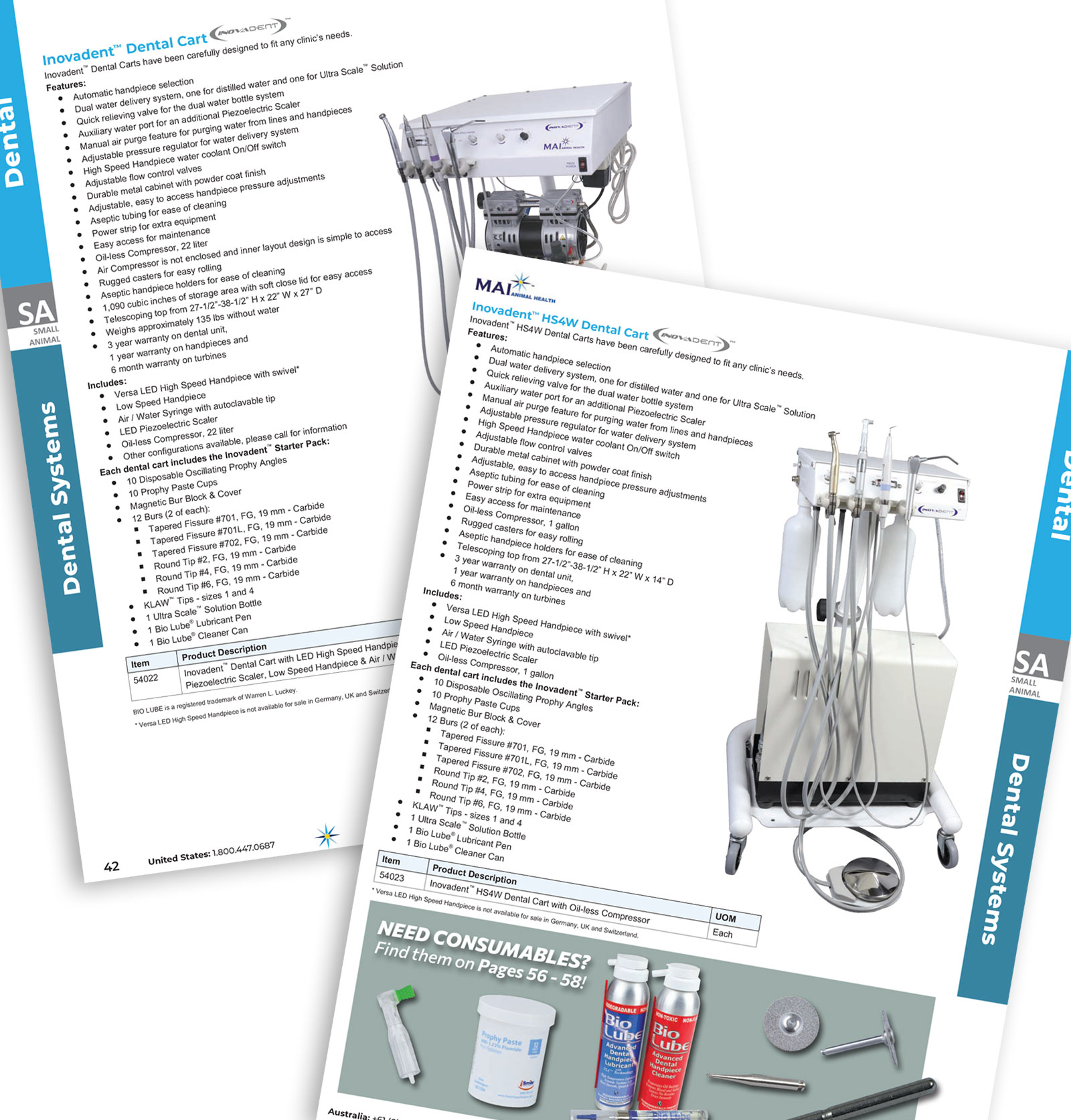
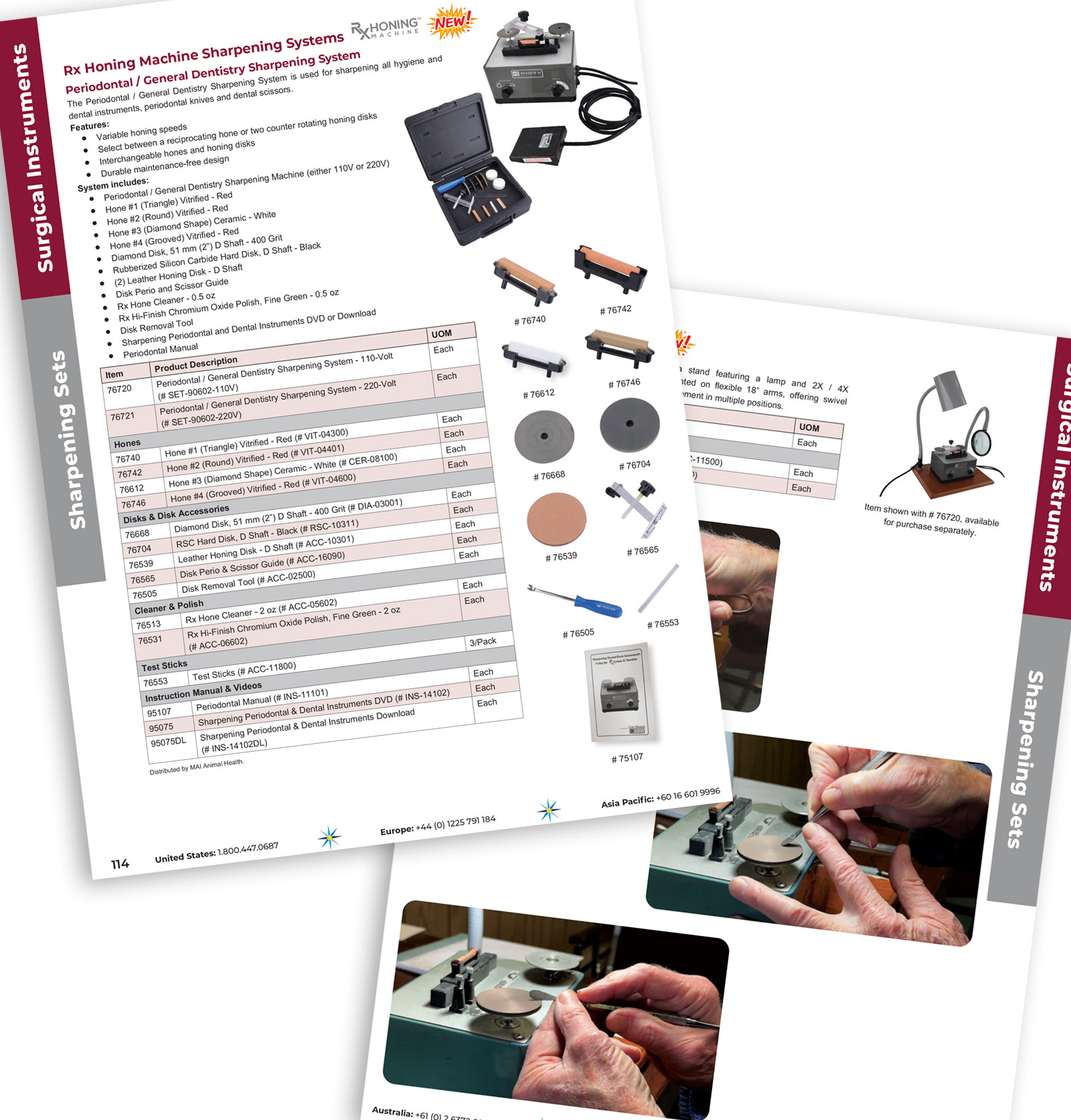
- Align photography, captions and item tables so products are easy to match at a glance.
- Maintain strict consistency from page 1 to page 244 as categories shift and grow.
- Coordinate updates across product managers, sales and operations without breaking the layout.
A Grid Built for Real Use
The catalog was built on a flexible grid that can handle a wide range of content types: multi column tables, hero products, callouts and dense comparison sections. My work has focused on refining how that grid is used, tightening hierarchy and solving layout problems as categories and product lines evolve.
By standardizing how elements like tables, callouts and imagery are applied, newer editions focus on content quality and accuracy instead of rebuilding page structures from scratch.
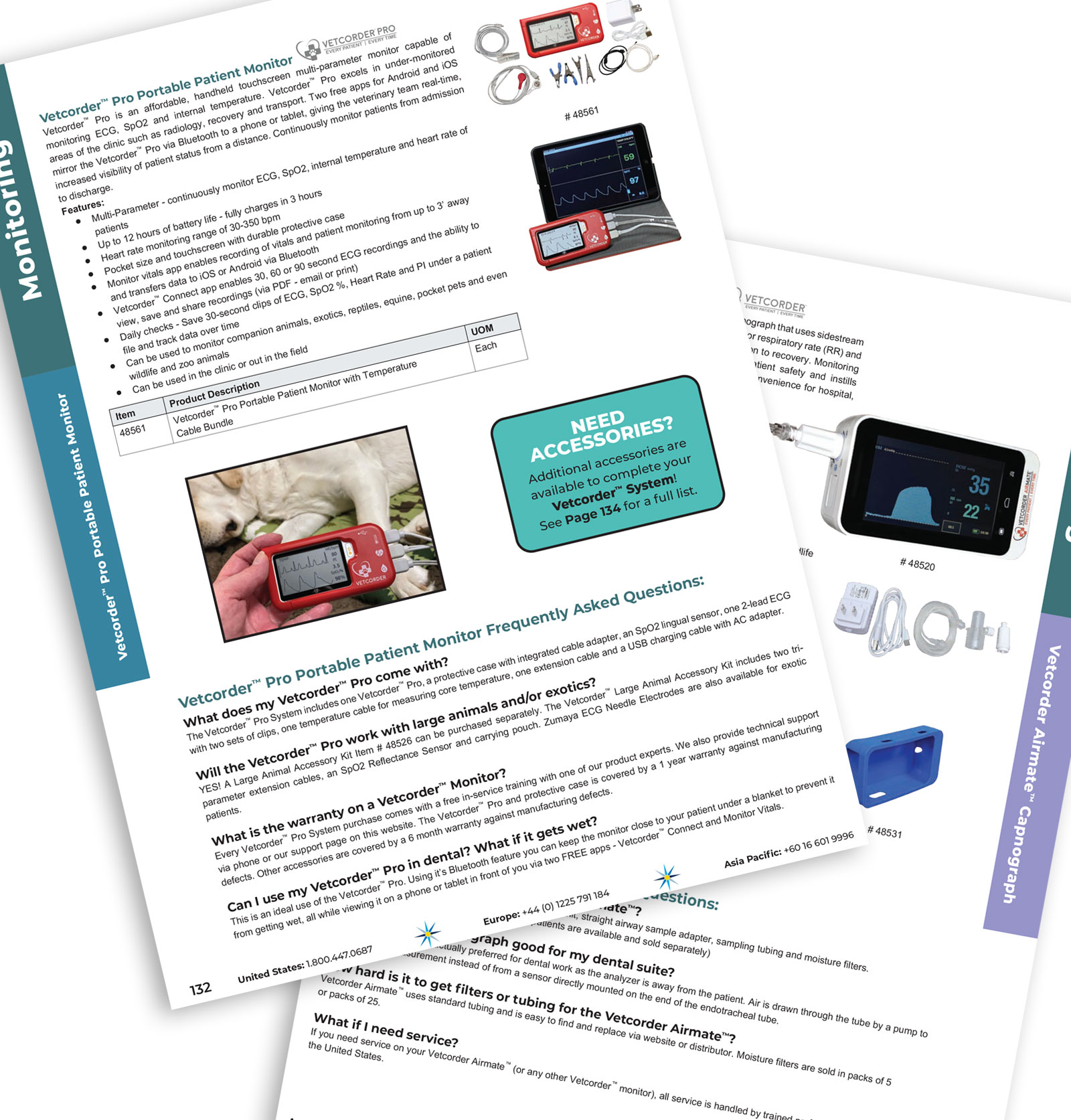
- Standardized category color bars and labels so readers can quickly identify where they are in the catalog.
- Shared table styles for item number, description and UOM to reduce visual noise.
- Reusable components for feature products, cross sells and notes.
- Templates that allow new spreads to be built quickly without sacrificing hierarchy.
Clean, Technical and Brand Consistent
The visual language leans clean and technical to match the products it represents. Type, spacing and color are all doing quiet work in the background so that item data and photography stay at the front of the page.
- Clear typographic hierarchy for section titles, product names and table content.
- Consistent use of MAI brand colors for headers, rules and navigation sidebars.
- Product photography lit and framed to drop straight into the grid.
- Balanced white space so dense pages still feel organized, not cramped.
How the System Holds Up
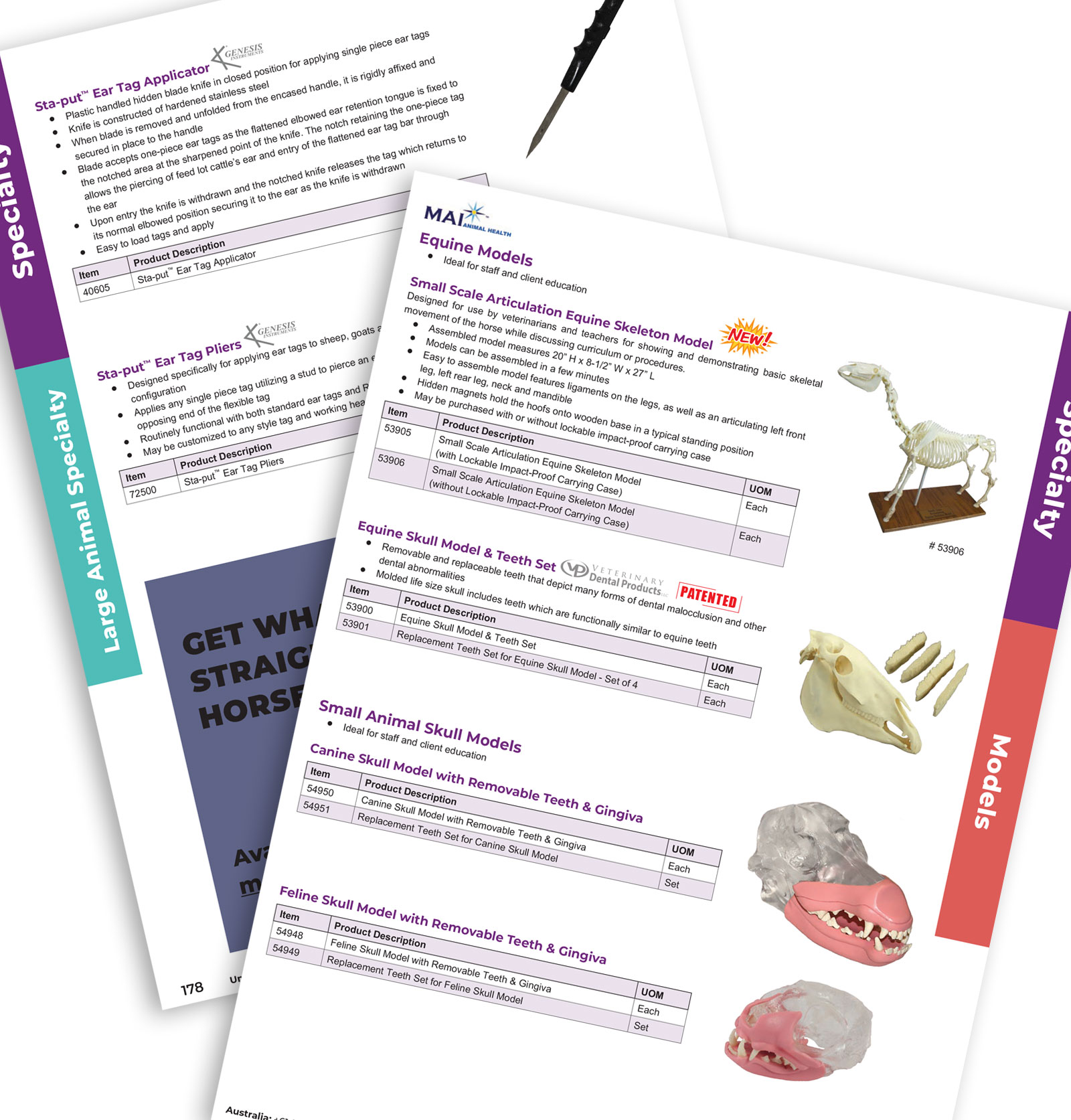
These spreads show how the layout system adapts to different categories while keeping the same underlying structure. Click any page to view it larger.

Managing the Catalog Cycle
With the core design system in place, my focus shifted to directing the yearly production cycle. That means coordinating updates from multiple departments, reviewing new spreads for consistency and helping the team solve layout problems as product lines grow.
- Partnered with product managers to integrate new items and retire obsolete SKUs.
- Reviewed page proofs for layout consistency, type accuracy and image quality.
- Provided templates, guidelines and feedback for in house designers building new pages.
- Worked with vendors and printers to ensure files were press ready and color consistent.
Outcomes for MAI and the Sales Team
The Master Catalog has become a core tool for both internal teams and customers. Because the structure stays consistent from edition to edition, sales reps and clinics can move between categories without thinking about how the catalog works. They just use it.
- A dependable reference book that supports day to day ordering and product education.
- Faster production cycles thanks to clear templates and a stable layout system.
- Stronger alignment between print, ecommerce and other MAI marketing materials.
Responsibilities & Contributions
Over multiple editions I have been responsible for keeping the catalog on track visually and structurally, moving from hands on layout work into an art director role for the full piece.
- Maintained and refined the existing grid, typography and navigation system.
- Designed and updated spreads across key product categories.
- Directed later editions, providing templates and feedback for the design team.
- Managed reviews with product, sales and leadership to keep content accurate.